Education
The Lawnise connector for AI apps: setup, tools and approvals
How to connect Claude, ChatGPT and other AI apps to Lawnise through MCP: setup, example requests, approvals, the tools and how your data is handled.
Lawnise Research & Editorial team
Institutional byline · published by Lawnise
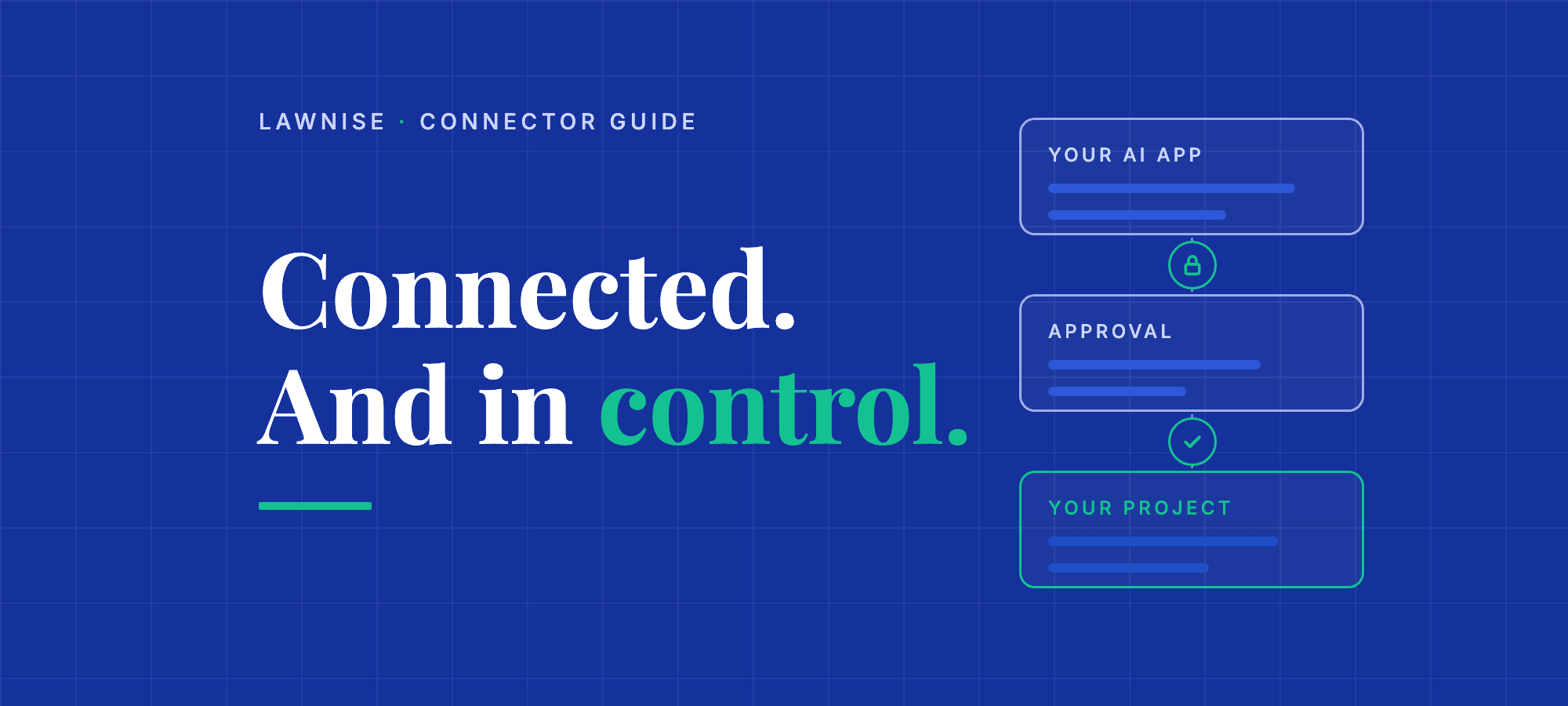
Lawnise is an independent evaluator for AI in use. The Lawnise connector lets an AI app you already work in, such as Claude, ChatGPT or Microsoft Copilot, use your Lawnise projects through the Model Context Protocol (MCP). This page explains what the connector does, how to connect it, how approvals work and what happens to your data.
What you can do with the connector
- Check what your own AI says. Check replies from your support assistants, knowledge bots and agents, and drafts written with AI, against the published rule sets in a project's checking setup. Every check produces a receipt a reviewer can rely on.
- Turn your policies into rule sets and apply them to AI answers, documents and live web pages.
- Keep your approved reference. Brand facts and procedures are the ground truth that public AI answers are compared with in monitoring.
- See what public AI says about you. Track accuracy, visibility and reputation across ChatGPT, Gemini, Google AI Overviews and other engines.
- Review results and give verdicts on findings where you already work.
Your organisation decides what a connected AI app may change in Lawnise, and changes can require a person's approval. Actions record the connection and the person who connected it. Finding verdicts a person approves are human-signed; verdicts an AI app records directly, where the organisation allows it, are AI-signed and may appear in customer reports without human review. Findings are advisory evidence, not certification.
Before you start
- You need a Lawnise account in an organisation, with access to at least one project. Lawnise accounts are by request today: request access.
- To change anything through an AI app you need the editor role in that project. Viewers can read.
- Checks and scans use credits. The price is shown before a paid action runs.
- A check uses a project's checking setup (also called a verification profile): the published rule sets it applies. You can create one through the connector from rule sets bound to the project, and manage it on the project's Checking Setups page in Lawnise.
Connect your AI app
The connector address is https://api.lawnise.com/mcp/lawnise. Sign-in uses OAuth: you sign in to Lawnise in your browser and choose which projects, and what kind of access, the AI app gets. You can disconnect an app at any time under Connections in Lawnise.
- Claude (claude.ai, desktop and mobile): open Settings, then Connectors, choose Add custom connector, paste the address and choose Connect. Sign in to Lawnise and approve.
- ChatGPT: add Lawnise as a connector with the address above, where your plan offers custom connectors. Sign in to Lawnise and approve.
- Microsoft Copilot Studio and other platforms: contact support@lawnise.com. We set these up with you while the directory listings are in review.
- Developer tools (Claude Code, Cursor, Codex and other MCP clients): add an HTTP MCP server with the same address. They open the same Lawnise sign-in.
After a Lawnise update, reconnect or start a new chat so your AI app loads the current tools.
Example requests
Once connected, ask your AI app in plain language. For example:
- "Which Lawnise projects can I use, and how many credits do we have left?"
- "Check this reply from our support assistant against our support rules in Lawnise: (paste the reply)."
- "Add these three facts from our returns page to our support assistant project: (paste the facts and the page link)."
- "Draft a rule set that stops our assistant promising same-day refunds, then ask to publish it."
- "List the open incidents in our brand project and show me what public AI got wrong."
- "Confirm the finding on that incident: the answer contradicts our published returns policy."
The AI app chooses the Lawnise tools it needs. Anything that changes data, costs credits or needs a person's approval follows the rules in the next section.
How approvals work
- In your AI app. Before a tool runs, your AI app may show an approval card. Lawnise's editing tools carry the name or text of every item they change next to its id, for example the procedure's name or the prompt's text, so the card shows what will change. Lawnise refuses the change if a name does not match what the id refers to.
- In Lawnise. Your organisation can require that AI changes to knowledge, prompts and finding verdicts wait for a person's approval in Lawnise, under Pending approvals. Publishing a rule set and binding it to a project always need a person: in Lawnise, or in an in-chat approval on a reviewed AI app where your organisation enables it. Applying a rule set across the whole organisation is approved by a tenant admin, in Lawnise only.
- Paid checks. Your organisation chooses how a paid check is authorised: confirmed by a person in Lawnise, or by agreeing the price in the chat before the check runs.
- Scans and prompt discovery use credits and are always confirmed by a person in Lawnise, who sees the prompts, engines and maximum credits first.
- Finding verdicts. Through the connector you can confirm or dismiss an accuracy finding when it belongs to a single incident. list_incidents shows, for each incident, whether a verdict can be given through the connector and, if not, why. Reputation findings, and findings shared by several incidents, are reviewed in Lawnise.
The tools
Each tool is listed with its name, what it does and whether it only reads or also changes data.
Getting started
- describe_lawnise: How Lawnise works (reads only)
- whoami: Who am I connected as (reads only)
- get_guide: Read a Lawnise guide (reads only)
- list_projects: List projects (reads only)
- get_project: Get a project (reads only)
- get_credit_balance: Get credit balance (reads only)
- create_project: Create a project (changes data)
- update_project: Update project setup (changes or removes data)
Checking text and pages
- list_profiles: List verification profiles (reads only)
- verify_with_lawnise: Verify a draft text (changes data)
- verify_webpage: Verify a live web page (changes data)
- list_receipts: List verification receipts (reads only)
- get_receipt: Get a verification receipt (reads only)
Rule sets
- list_rule_sets: List rule sets (reads only)
- get_rule_set: Get a rule set (reads only)
- create_rule_set: Create a draft rule set (changes data)
- add_rule: Add a rule to a draft (changes data)
- update_rule: Update a draft rule (changes or removes data)
- delete_rule: Delete a draft rule (changes or removes data)
- request_publish: Request to publish a rule set (changes data)
- request_bind: Request to bind a rule set (changes data)
- request_apply_tenant_wide: Request organisation-wide rule set (changes data)
- create_verification_profile: Create a verification profile (changes data)
- get_confirmation: Get a request's status (reads only)
Reference knowledge
- list_brand_facts: List brand facts (reads only)
- add_brand_facts: Add brand facts (changes data)
- update_brand_fact: Correct a brand fact (changes or removes data)
- delete_brand_fact: Delete a brand fact (changes or removes data)
- list_procedures: List procedures (reads only)
- get_procedure: Get a procedure (reads only)
- add_procedure: Add a procedure (changes data)
- list_competitors: List competitors and brand aliases (reads only)
- add_competitors: Add competitors (changes data)
- update_competitor: Change a competitor (changes or removes data)
- remove_competitor: Remove a competitor (changes or removes data)
- add_brand_aliases: Add brand aliases (changes data)
- remove_brand_alias: Remove a brand alias (changes or removes data)
Monitoring public AI
- list_prompts: List monitored prompts (reads only)
- create_prompt: Add a monitored prompt (changes data)
- update_prompt: Change a monitored prompt (changes or removes data)
- set_prompt_grounding: Set a prompt's grounding facts (changes or removes data)
- link_procedure: Link prompts to a procedure (changes data)
- list_discovery_profiles: List discovery profiles (reads only)
- create_discovery_profile: Create a discovery profile (changes data)
- discover_prompts: Request prompt discovery (changes data)
- get_discovery_results: Get discovered prompts (reads only)
- approve_discovered_prompts: Approve discovered prompts (changes or removes data)
- reject_discovered_prompts: Reject discovered prompts (changes or removes data)
- get_scanner_settings: Get AI engine settings (reads only)
- set_scanner_engine: Turn an AI engine on or off (changes data)
- get_scan_readiness: Check scan readiness (reads only)
- run_scan: Request a scan (changes data)
- get_run: Get a run's status (reads only)
- list_scan_jobs: List scan jobs (reads only)
- get_scan_job: Get a scan job (reads only)
- list_scan_results: List scan results (reads only)
- get_scan_result: Get a scan result (reads only)
- get_visibility_summary: Get AI visibility summary (reads only)
- list_incidents: List incidents (reads only)
- adjudicate_finding: Confirm or dismiss a finding (changes or removes data)
Your data
- Lawnise receives what your AI app sends when it uses a Lawnise tool, and returns results to it. Those results become part of your conversation with that app, which its provider handles under its own terms.
- Text sent for a check is redacted of recognised personal data before it is sent to an AI model or stored. You can delete the stored copy of checked text yourself.
- Connection records: each tool-use log entry is deleted 12 months after it was made; an approval request 12 months after it was decided (or, if never decided, 12 months after it expired); a request-replay record 24 hours after it was made.
- Details: Privacy Policy, Terms of Service, Subprocessors and Security.
Known limitations
- Through the connector, your AI's replies are checked one at a time with verify_with_lawnise.
- list_incidents does not filter by prompt. Read the incidents and pick the ones you need.
- Some AI apps cache the tool list. Reconnect after a Lawnise update.
Support
Contact us at www.lawnise.com/contact or support@lawnise.com. For security reports, use the subject "Security".
How to cite this
- Short form
- Lawnise Research & Editorial team. (2026). The Lawnise connector for AI apps: setup, tools and approvals. Lawnise. https://www.lawnise.com/research/lawnise-connector
- Long form (APA)
- Lawnise Research & Editorial team. (2026, October 4). The Lawnise connector for AI apps: setup, tools and approvals (Methodology v1.1). Lawnise. https://www.lawnise.com/research/lawnise-connector
- BibTeX
@misc{lawnise2026lawniseconnector,
  author = {Lawnise Research and Editorial team},
  title = {The Lawnise connector for AI apps: setup, tools and approvals},
  year = {2026},
  publisher = {Lawnise},
  url = {https://www.lawnise.com/research/lawnise-connector}
}
References
- [1]Lawnise Privacy Policy v2.0. Connector tool-use log entries and approval requests are deleted 12 months after they were made or decided; request-replay records after 24 hours. https://www.lawnise.com/legal/privacy-policy(accessed 2026-10-04)